
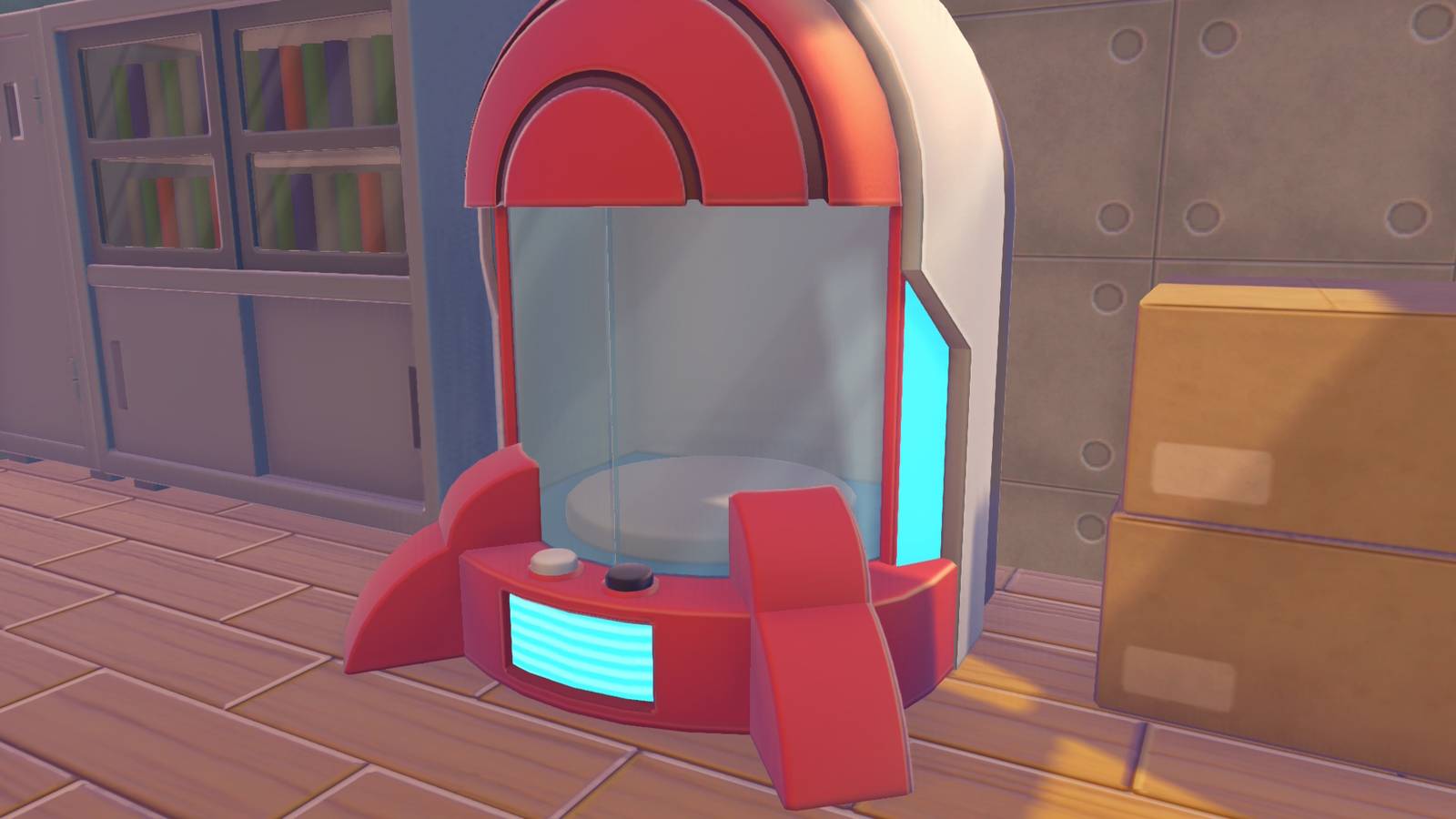



Pokémon Pokopia‘s portal pod is the game’s version of universal storage, though getting one takes a bit of work. You can unlock the portal pod recipe without owning Pokopia‘s Bubbly Basin DLC, though it requires substantial work done in Palette Town. However, owning the DLC gives you access to two portal pods you can just pick up in a house at the edge of town and then replicate using the 3D printer.
Below, we explain how to get portal pods in Pokémon Pokopia and how to use them.
How to get portal pods in Pokémon Pokopia
You unlock the portal pod recipe by raising the Environment Level in Palette Town. We haven’t confirmed the requirement yet ourselves, but it seems you need to reach Environment Level 10. We’re currently at seven and don’t see the Portal Pod recipe listed in the preview of unlocks for the next level. 10 seems like a sure bet, but we’ll update when we know for certain.
If you own the Bubbly Basin DLC, find Popplio and head to their town. Once you regain control of Ditto and can explore, head to the spot shown on the map above, a house in the northeastern corner. Inside, you’ll find one portal pod. It’s blocking a staircase, and if you go down that staircase, turn left, open the doors, and turn left again, you’ll find another Portal Pod in a red-and-white Pokéball.

Once you have a portal pod, you can take a reference shot of it for the 3D printer using the in-game camera. Press the Minus button to open the camera, and then press Y to swap to reference mode. Bring the shot to any rebuilt Pokémon Center, interact with the printer inside, and exchange five rare Pokémetal to make a copy. You can do this as many times as you want, so long as you have enough rare Pokémetal.
How to use portal pods in Pokémon Pokopia
Portal pods let you access anything you put in them by interacting with another portal pod, regardless of where you place the pod. For example, if you stuff all your building materials in a portal pod that you leave in Withered Wasteland, then take another one with you to Bleak Beach, the pod you set down in Bleak Beach will contain all the items from the pod in Withered Wasteland. And the reverse is true too: Any item you put in the Bleak Beach pod will show up in the Wasteland pod.
If you’re starting a build project, it’s worth taking some prep time beforehand to gather all the materials you think you might need and put them in a portal pod. That way, you’re only using a single inventory slot and still have everything for the job.
Just like the other chests in the game, you can place a portal pod down next to a crafting bench and the bench will automatically pull materials from it, which is super handy.
![5th Aug: Street Eats (2026), 3 Seasons [TV-PG] – New Episodes (7.3/10)](https://occ-0-8772-590.1.nflxso.net/dnm/api/v6/0Qzqdxw-HG1AiOKLWWPsFOUDA2E/AAAABe2JOwIgwC-gUVasT3O_DAzUACAP_EP_fP0OESLbFeJAjDIZfgI3qht5yrL-zDNaYPXrv9LCn76wvG2ALpgsWhAJiScu19i4iPnlScI0uZ3zU3zytTmlOKViLZw_vghxiV_YRNy1zhOfOba1qSKHetYFkyds-v5bmEXPf7ZS.jpg?r=601 "5th Aug: Street Eats (2026), 3 Seasons [TV-PG] – New Episodes (7.3/10)")