







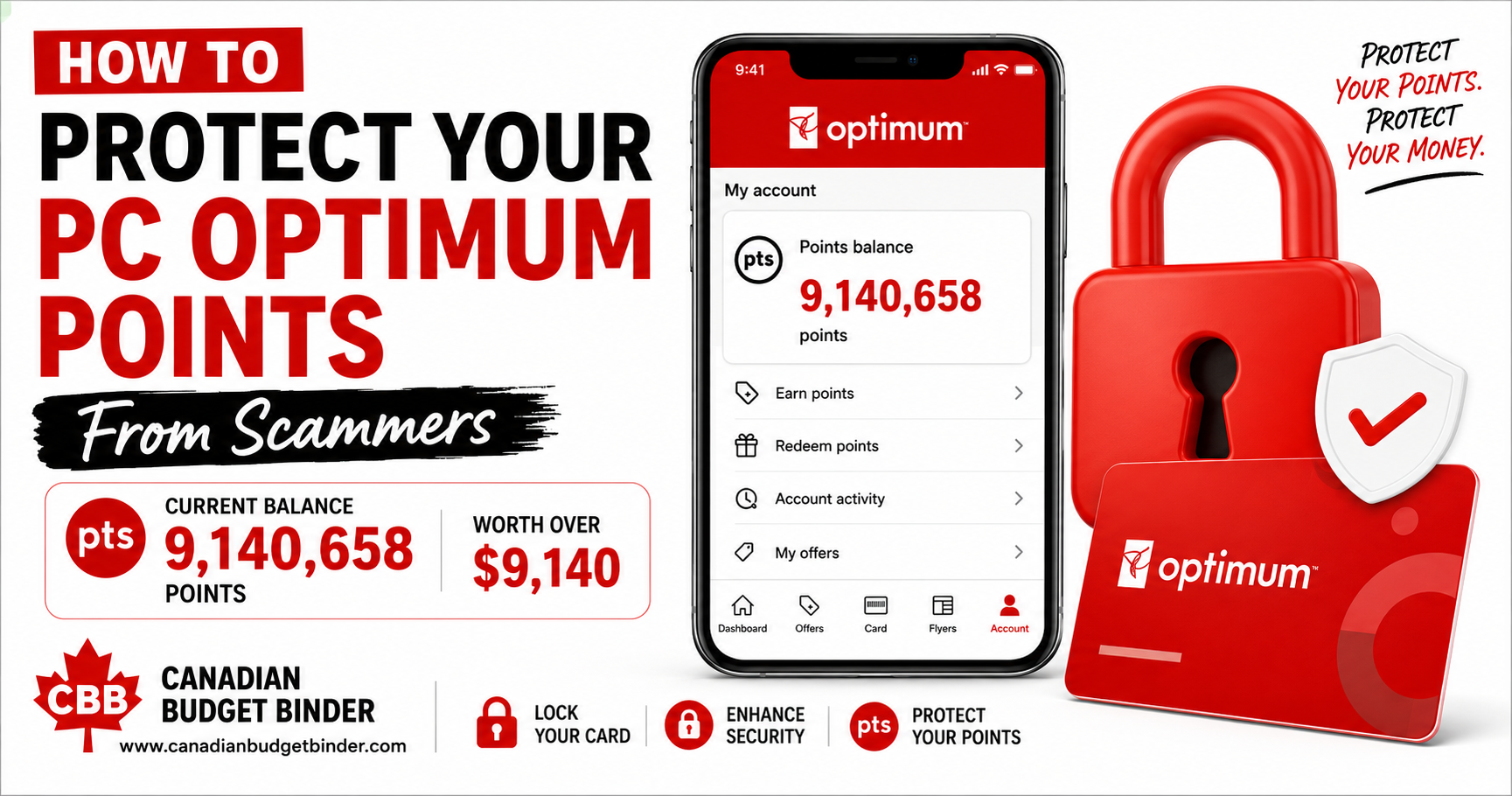
PC Optimum account security is more important than ever. As I write this article, my account contains more than 9.1 million PC Optimum Points, worth approximately $9,140 in rewards. After spending years earning those rewards, I take every available step to protect my account and help prevent unauthorized redemptions.

💡 Mr. CBB’s Tip
Reward points have real value.
I don’t treat my PC Optimum account like a simple loyalty card anymore. With more than 9 million points, I protect it the same way I protect my online banking.
Our PC Optimum points represent years of grocery shopping, personalized offers, bonus events, redemption promotions, and making every dollar count. More importantly, they represent the time, patience, and consistency it took to earn them.
Every grocery trip became an opportunity to earn more points. Understanding the PC Optimum program helped us take advantage of personalized offers, while waiting for the right redemption events ensured we got the best value from every point we collected.
For example, we only shop when we get a 20x Points offer in the app, as it yields the highest return. Purchases are always staples that are on sale and less than the grocery store, reduced price, or something we need, such as Mrs. CBB’s iron pills behind the counter in the pharmacy.
For years, I’ve shared my savings journey on Canadian Budget Binder, including the strategies that helped our family earn millions of PC Optimum points. What many readers may not realize is that earning points is only half the battle.
Protecting them is just as important.
Recently, I’ve noticed more Canadians sharing stories about unauthorized PC Optimum redemptions after scammers gained access to their accounts.
Seeing those stories encouraged me to review my own account security.
Fortunately, PC Optimum provides several built-in security features that many members either overlook or don’t even know exist.
In this guide, I’ll show you how I protect my account, why I keep my cards set to Earn Points Only, and the simple steps you can take to protect your hard-earned rewards better.
“I’ve spent years earning these rewards. Here’s how I protect every single point from scammers.”
Many people think reward points are “free.”
I don’t.
Every point represents money you’ve already spent.
Whether you’ve collected 20,000 points or 9 million points, those rewards have real value.
You may use them for:
- Groceries
- Household essentials
- Prescriptions
- Beauty products
- Holiday shopping
- Gifts
- Everyday necessities
If someone steals your points, they’re not just taking numbers from your account.
They’re taking the savings you’ve worked hard to earn.
That’s why protecting your account should become part of your regular financial routine.
What Are 9,140,658 PC Optimum Points Worth?
Although most of us don’t think about reward points in terms of dollars, that’s exactly how I look at them.
Here’s what those points are worth when redeemed.
Looking at the dollar value really puts things into perspective. That’s why I’ve made account security part of my regular financial routine—not something I only think about when it’s time to redeem points.

Our PC Optimum Journey
Long-time readers of Canadian Budget Binder might remember an article I wrote years ago about how our family earned more than 4 million PC Optimum points.
At the time, I honestly couldn’t imagine our balance growing much larger.
Fast-forward several years, and we’ve now collected more than 9 million points.
Building a balance of more than 9 million points didn’t happen overnight.
We didn’t buy unnecessary items.
We didn’t chase every promotion.
Instead, we stayed consistent.
Personalized offers became part of our routine.
Shopping the sales helped maximize every dollar we spent.
Whenever possible, we stacked promotions to earn even more points.
Instead of redeeming points impulsively, we waited for the right opportunities to get the best value.
Most importantly, we treated reward points as another part of our overall financial plan.
That’s one of the reasons I wanted to write this article.
After spending years building a balance worth more than $9,000, protecting it has become just as important as earning it.
If you haven’t already read it, be sure to check out my article:
How We Earned Over 4 Million PC Optimum Points
Why Scammers Target PC Optimum Accounts
Unfortunately, criminals don’t care how long it took you to earn your rewards.
They only see value.
Reward accounts are attractive because many people:
- Reuse passwords on multiple websites.
- Never enable extra security features.
- Rarely check their points balance.
- Don’t realize their points have been redeemed until weeks later.
Unlike stolen credit card fraud, reward account theft often goes unnoticed.
That’s why prevention is your best defense.
How Criminals Gain Access

Most account compromises occur due to one or more of these situations.
Weak Passwords
Simple passwords are easier to guess than many people realize.
Avoid using birthdays, names, addresses, or common words.
Instead, create a password that’s unique to your PC Optimum account.
Password Reuse
Using the same password on multiple websites increases your risk.
If another website experiences a data breach, criminals often try those same usernames and passwords elsewhere.
Phishing Emails
Scammers frequently send fake emails or text messages claiming:
- Your account has been locked.
- You’ve earned bonus points.
- Your points are about to expire.
- You need to verify your account.
Never click links in suspicious emails or text messages.
Instead, open the official PC Optimum app or type the website address directly into your browser.
Compromised Devices
If someone gains access to a phone, tablet, or computer that’s still signed into your account, they may also gain access to your rewards.
That’s why reviewing your connected devices is another important security habit.

Step 2- Tap Manage Cards
Next, tap Manage Cards to view every card linked to your account.

Step 3- Improve Your PC Optimum Account Security with Earn Points Only
This is, without question, the most valuable security feature currently available within the PC Optimum program.
When your card is set to Earn Points Only, you continue earning points every time you shop.
The difference is that your points cannot be redeemed until you unlock the card yourself.
For me, that’s an easy decision.
Since my account has more than 9 million points, I leave every card locked unless I plan to redeem points that day.
Unlocking the card takes only a few seconds, but it adds another layer of protection and gives me peace of mind knowing my points are better protected.
Select the card you’d like to protect and turn on Earn Points Only.
Once enabled, your card can continue earning points, but no one can redeem them until you intentionally unlock the card.

Two-Factor Authentication for Better PC Optimum Account Security
Think of two-factor authentication as adding a second deadbolt to your front door.
Even if someone somehow discovers your password, they still need a second verification code before they can access your account.
That extra layer of protection can make all the difference.
I recommend enabling two-factor authentication on every account that contains financial information, reward points, or sensitive personal data.
It’s one of the easiest security improvements you can make.

Security features can change over time, so it’s always a good idea to review the latest information in the official PC Optimum Help Centre.
Step 4: Review Your Connected Devices
Another security feature that often goes unnoticed is the Connected Devices section of your PC Optimum account.
This area lists the phones and tablets currently accessing your account.
If you ever notice a device you don’t recognize, remove it immediately and change your password.
It only takes a minute to review, but it could prevent unauthorized access to your rewards.

Your password is your first line of defense.
Unfortunately, many people still use passwords that are easy to guess or reuse the same password across multiple websites.
If another website experiences a data breach, criminals often try those same usernames and passwords on other accounts—including rewards programs.
To help protect your PC Optimum account, create a password that is:
- Long and unique
- Different from every other website you use
- A combination of upper- and lowercase letters, numbers, and symbols
- Difficult for someone else to guess
Avoid using:
- Birthdays
- Children’s names
- Pet names
- Phone numbers
- Simple words such as Password123 or Welcome1
If you find it difficult to remember multiple passwords, consider using a reputable password manager.
One of the most common ways criminals gain access to online accounts is through phishing.
These scams often arrive by email or text message and are designed to look legitimate.
You may receive messages claiming:
- Your account has been suspended.
- You’ve earned bonus PC Optimum points.
- Your points are about to expire.
- Your account needs immediate verification.
- A special redemption offer is waiting.
Their goal is to convince you to click a fake login page where you’ll unknowingly enter your username and password.
My Rule
I never sign in to my account using links in emails or text messages.
Instead, I open the official PC Optimum app or type the website address directly into my browser.
That simple habit has become part of my everyday online security routine.
If you suspect someone has accessed your account without your permission, don’t panic—but act quickly.
The sooner you respond, the better.
Here’s what I recommend:
- Change your PC Optimum password immediately.
- Enable or confirm Two-Factor Authentication.
- Set your card to Earn Points Only if it isn’t already.
- Review your recent account activity.
- Remove any unfamiliar connected devices.
- Contact PC Optimum Customer Care immediately.
- Take screenshots of any suspicious activity for your records.
Acting quickly may help reduce further unauthorized activity and will provide useful information when speaking with customer support.

Small habits can make a big difference.
Here are a few additional ways to help keep your account secure:
- Monitor your points balance regularly.
- Never reuse passwords from other websites.
- Don’t share verification codes with anyone.
- Keep your phone and apps updated.
- Sign out of shared or public devices.
- Review your account activity from time to time.
These simple habits only take a few minutes but can provide valuable peace of mind.
After collecting PC Optimum points for well over a decade—and now having more than 9.1 million points in my account—I’ve developed a routine that helps me protect my rewards.
Here’s my checklist:
- Leave every PC Optimum card set to Earn Points Only unless I’m redeeming points.
- Use a strong, unique password.
- Enable Two-Factor Authentication whenever it’s available.
- Review connected devices regularly.
- Never click suspicious emails or text messages claiming to be from PC Optimum.
- Check my points balance frequently so I’d notice unusual activity quickly.
These habits have become second nature, and I believe they’re well worth the few minutes they take.

Can someone really steal PC Optimum points?
Unfortunately, yes.
If someone gains access to your account, they may attempt to redeem your points before you notice.
That’s why it’s important to use every available security feature.
Does “Earn Points Only” stop me from collecting points?
No.
You’ll continue earning points exactly as you always have.
The only difference is that your points can’t be redeemed until you unlock your card.
Is Two-Factor Authentication worth enabling?
Absolutely.
Even if someone discovers your password, they’ll still need a second verification code before they can access your account.
That extra layer of security can make a significant difference.
If you suspect your PC Optimum account has been compromised, immediately change your password, enable Two-Factor Authentication (if it isn’t already enabled), set your card to Earn Points Only, and then contact PC Optimum Member Support to report the issue.
Should I keep a large points balance?
Everyone has a different strategy.
Some members redeem points frequently, while others save them for bonus redemption events or larger purchases.
There’s no right or wrong approach.
The important thing is protecting whatever balance you’ve worked hard to earn.
Key Takeaways
- Monitor your points balance often
- Turn on Earn Points Only
- Enable Two-Factor Authentication
- Review connected devices regularly
- Use a strong, unique password
- Watch for phishing emails and texts
When I first shared our journey of earning 4 million PC Optimum points, I never imagined that balance would eventually grow to more than 9.1 million points.
Those points weren’t earned through luck.
They were earned through years of planning, shopping, sales, taking advantage of personalized offers, and making smart financial decisions.
Because they now represent more than $9,140 in rewards, protecting them has become just as important as earning them.
Whether your account contains 5,000 points or 9 million points, those rewards belong to you.
Taking a few minutes today to secure your account could prevent years of savings from disappearing tomorrow.
I hope this guide encourages you to review your account settings, enable the available security features, and make protecting your rewards part of your regular financial routine.
If you have additional tips for protecting your PC Optimum account—or if you’ve had an experience you’d like to share—I invite you to leave a comment below. Your advice may help another Canadian protect their hard-earned points.
Thank you for being part of the Canadian Budget Binder community.
Happy saving!
If you believe your account has been compromised, contact PC Optimum Member Support as soon as possible and report the unauthorized activity.
You can also visit the official PC Optimum website for the latest program information, FAQs, and account resources.
Before You Go…
If you found this guide helpful, please consider sharing it with your family and friends.
The more Canadians know about Earn Points Only, Two-Factor Authentication, and the other security tips in this guide, the fewer people will become victims of reward-point scams.
A simple share today could help someone protect years of hard-earned savings.
Thanks for stopping by and reading,
MR. CBB – Leave a comment as I read and respond to them all.
Last updated: July 2026
This guide will be updated as PC Optimum introduces new security features and account settings.
![30th Jul: Shake, Rattle & Roll: Evil Origins (2025), 2hr 26m [TV-MA] (6.35/10)](https://occ-0-82-1001.1.nflxso.net/dnm/api/v6/0Qzqdxw-HG1AiOKLWWPsFOUDA2E/AAAABdElMPMgB93pCGaAQ5hCMlliuHpAggsFSDA7bTlO3XNIPjqcKxdKY3dyKvknsFu0m6xuwFU3WFdLN_KAwqJ69lTTZv9iSS4htsjoP8Y-cQzyExXV1k9V44qXumEX0jNiVkQ4A-o4n2Rgvwe0N-Hfp9XjQ9MUu2yRIZGrpa0afYid9Q.jpg?r=3f9 "30th Jul: Shake, Rattle & Roll: Evil Origins (2025), 2hr 26m [TV-MA] (6.35/10)")